The “show connection all” command shows the actual session table of a Cisco ASA firewall. If the output is not more million entry you can create a top list from it with a perl script I made. (Actually you can work with an output of more million entry as well, but it may require more time). The reason for me to do this script is to understand what exaclty runs through a firewall. Even this gives a picture of the time the command was issued, it tells you what goes mainly through the firewall.
Here is the link for the script I made.
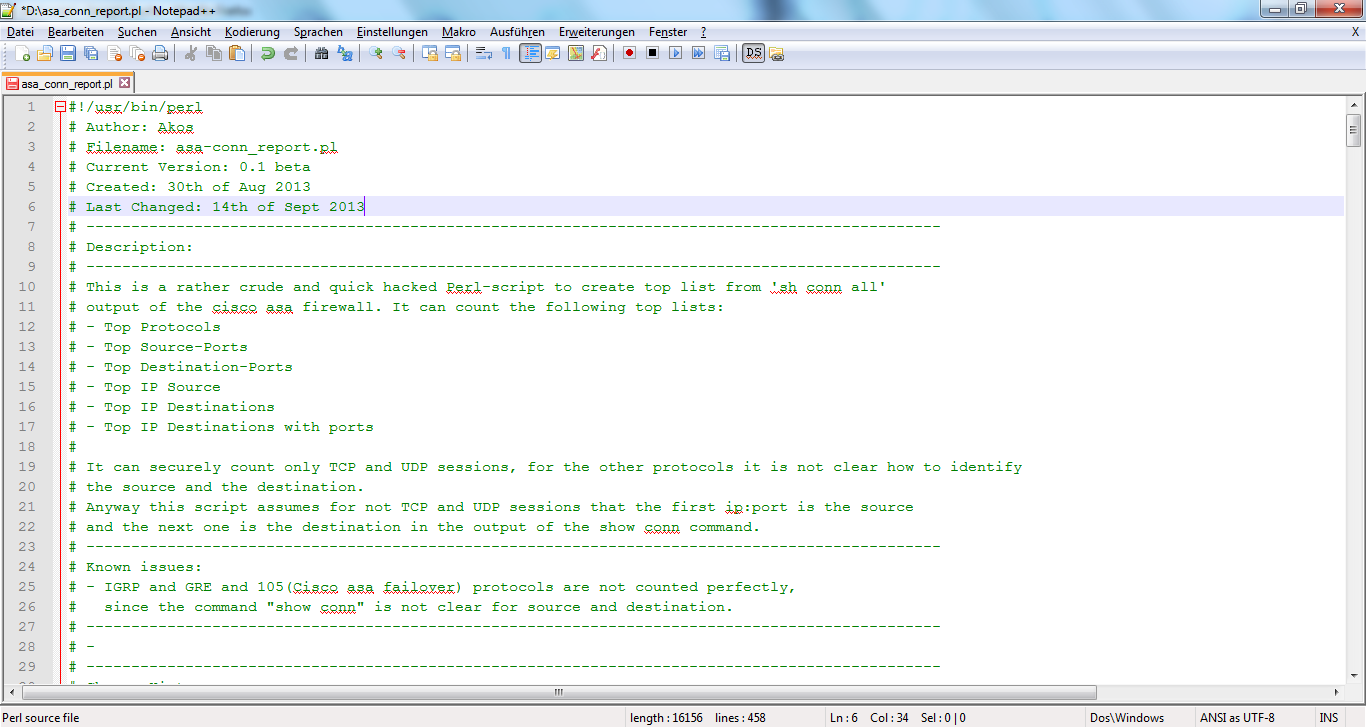
The perl file is hidden in the picture. You can ask me if you cannot figure out yourself how to get it out :-)
The script is easy to use. The perl script requires an input file with the output of the show conn all command.
./asa_conn_report.pl sh_conn_all_asa-voice.mycompany.com.txt |
An example output is here:
--------------------------------------------
asa-voice.mycompany.com
--------------------------------------------

Loading ASA current session table from sh_conn_all_asa-voice.mycompany.com.txt...
Done

	---------------------------------------------------------------------------------------
	The number of sessions not clear for the script(not clear who the src and the dst is.):
	Number of equal portnumbers:  445
	Number of both portnumbers above 1024:  4840
	---------------------------------------------------------------------------------------

	--------------------------------------
                 Top 7 Protocols
	--------------------------------------

	Protocol            Count
	--------------------------------------------------------------------------

	ICMP                1
	IGRP                2
	105                 6
	ESP                 15
	UDP                 14632
	TCP                 83627

	--------------------------------------
               Top 7 Source-Ports
	--------------------------------------

	Port                Count
	--------------------------------------------------------------------------

	1027                1310
	1025                1477
	1026                1485
	1024                2483
	5062                7276
	5060                11729
	0                   20732

	--------------------------------------
             Top 7 Destination-Ports
	--------------------------------------

	Port                Count
	--------------------------------------------------------------------------

	65432               852
	161                 991
	5062                7276
	2443                10756
	5060                17142
	0                   28424
	2000                101370

	--------------------------------------
                 Top 7 IP Source
	--------------------------------------

	dns name                                IP                   Count
	--------------------------------------------------------------------------

	callm4.mycompany.com              172.31.240.44        1226
	callm9.mycompany.com              172.31.240.49        2422
	callm19.mycompany.com             172.31.240.19        2520
	svr-mcs2.mycompany.com            172.31.241.12        2661
	callm7.mycompany.com              172.31.240.47        2720
	callm5.mycompany.com              172.31.240.45        3584
	callm6.mycompany.com              172.31.240.46        3835

	--------------------------------------
              Top 7 IP Destinations
	--------------------------------------

	dns name                                IP                   Count
	--------------------------------------------------------------------------

	callm5.mycompany.com               172.31.240.45        9293
	callm15.mycompany.com              172.31.240.15        9479
	callm1-trk-cvp.mycompany.com       172.31.240.12        9658
	hu-callm2.mycompany.com            172.31.241.12        9887
	callm1-trk-cvp.mycompany.com       172.31.240.13        9931
	callm17.mycompany.com              172.31.240.17        10044
	callm16.mycompany.com              172.31.240.16        10362

	--------------------------------------
          Top 7 IP Destinations with ports
	--------------------------------------

	dns name                                IP:Port                   Count
	--------------------------------------------------------------------------

	callm-test.mycompany.com           172.31.240.42:2000        7676
	callm14.mycompany.com              172.31.240.14:2000        8830
	callm15.mycompany.com              172.31.240.15:2000        8858
	callm12.mycompany.com              172.31.240.12:2000        9266
	callm13.mycompany.com              172.31.240.13:2000        9294
	callm16.mycompany.com              172.31.240.16:2000        9558
	callm17.mycompany.com              172.31.240.17:2000        9646
|
Example output with piechart (based on perl image magic):
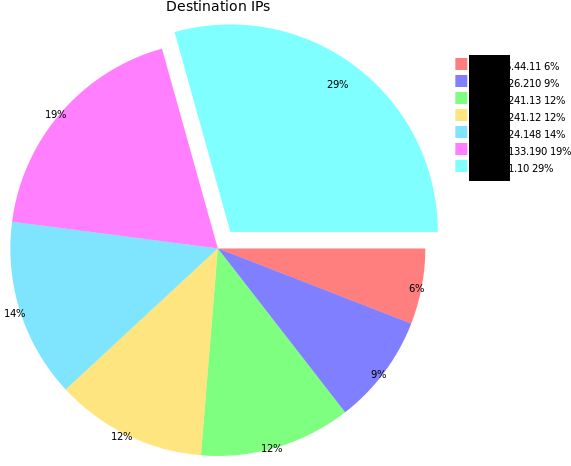
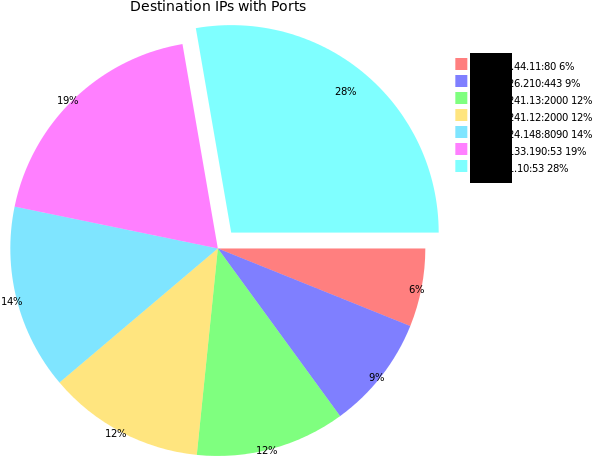
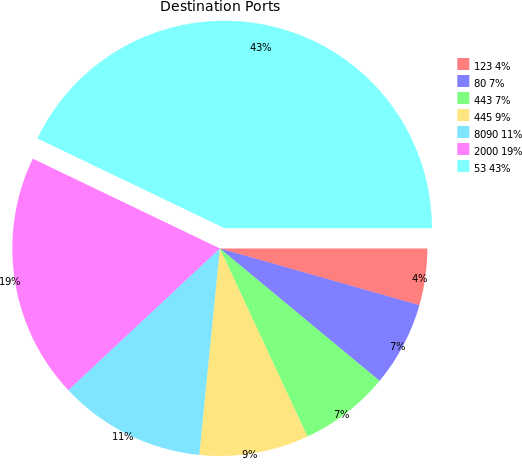
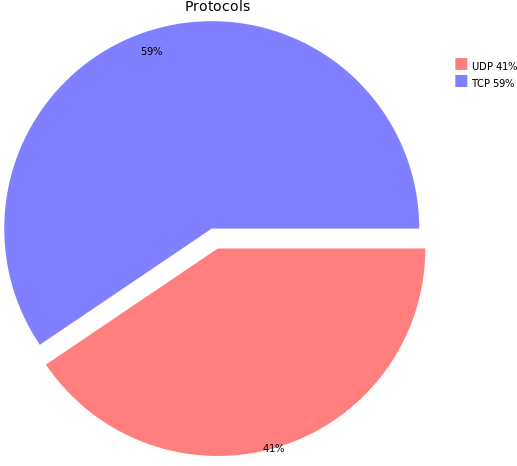

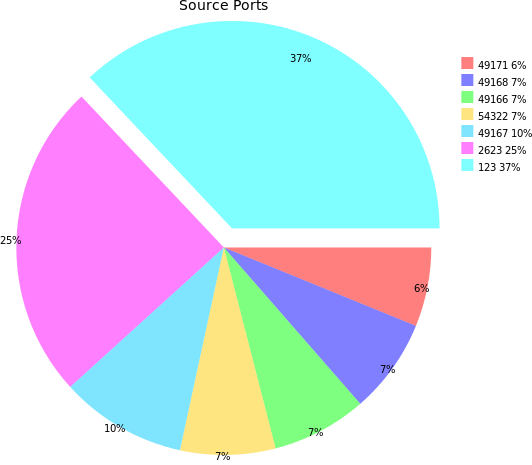
I did a script for Palo Alto too, but somehow, the “show session all” command does not lists all sessions since the “show system statistics session” shows much more session.
Anyway here is the script:

The source code is here:
 itsecworks
theogeo
November 23, 2014
Great scripts! They are extremely useful and the combination of network management and scripting it really excites me.
Looking at your shell script for the connection table , you are taking into consideration the connections with “B” flag (low to high security level) ?
BR
carlos
September 3, 2015
would u please send me the perl script called asa_conn_report.pl?
thanks a million
Carlos
Chus
September 18, 2015
Hi,
Where can I download the script? I think is very good work.
Regards
Chus
itsecworks
September 28, 2015
https://code.google.com/p/connection-reports/
SOOSAI SILVESTER JEGADHEESAN
June 22, 2016
Hi , Could you please give me the perl script. I really appreciate your efforts
MadMax
September 21, 2016
Looks like the script is not available anymore on google code. Is there a specific reason?
itsecworks
October 25, 2016
I moved to github. I will send you the link shortly..
Raghu
December 19, 2016
Hi could you please provide the link for the script to download, this is very helpful,
ItsMike
March 9, 2017
May I have a link to a copy of the script? Or is this no longer available?
itsecworks
April 10, 2017
https://github.com/itsecworks/connection-reports